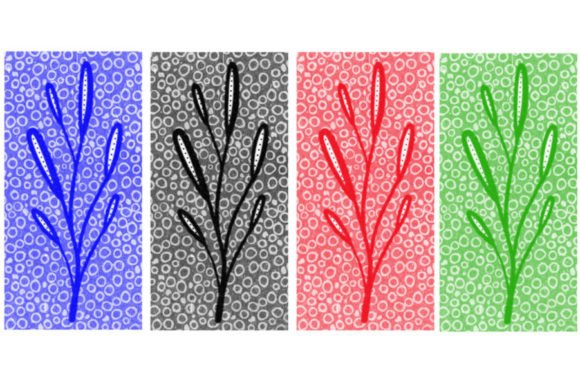
Integrating the Jasor Tree Brush into Your Digital Design Workflow
In the realm of digital illustration and graphic design, efficiency is not merely a preference; it is a necessity. Whether you are a concept artist working on tight deadlines for a game studio, a freelance illustrator managing multiple client commissions, or a hobbyist looking to elevate the quality of your personal projects, the tools you choose define the speed and consistency of your output. The Jasor Tree Brush represents a specialized asset designed to streamline one of the most time-consuming aspects of environmental art: vegetation rendering. By understanding how this single brush fits into a broader creative pipeline, designers can significantly reduce manual labor while maintaining high artistic standards.
This article explores the practical application of the Jasor Tree Brush, focusing on its integration into existing workflows, compatibility with standard software, and the strategic advantages it offers during the planning and execution phases of a project. We will examine how a simple digital asset, delivered as a lightweight ZIP file containing either .brushes or .swatches, can become a cornerstone of your resource library.
Understanding the Asset and Its Role in Concept Development
Before diving into technical implementation, it is crucial to understand what the Jasor Tree Brush actually is and where it sits in the hierarchy of design tools. Unlike complex 3D models or heavy texture packs that require significant system resources and rendering time, this brush is a lightweight, two-dimensional stamp or shape tool. It is designed to replicate the organic complexity of tree foliage and structure with a single click or stroke.
In the early stages of a project, particularly during concept development and blocking out scenes, speed is paramount. Artists often struggle with the "blank canvas" paralysis or spend excessive hours sketching basic forms that may later be discarded. The Jasor Tree Brush serves as a rapid prototyping tool. It allows creators to populate a landscape quickly, establishing scale, depth, and composition without getting bogged down in the minutiae of leaf-by-leaf detailing. This immediate visual feedback helps in making critical decisions about lighting, perspective, and focal points much earlier in the process.
Furthermore, because the download includes a single, highly optimized brush file, it eliminates the clutter often associated with massive asset packs. For professionals who value organization and minimalism in their digital libraries, this focused approach ensures that the tool is easy to locate, install, and deploy without navigating through hundreds of unused variations.
Installation and Compatibility: Preparing Your Workspace
The first step in integrating any new digital asset is ensuring seamless compatibility with your primary software. The Jasor Tree Brush is distributed as a ZIP file, a universal archive format that preserves file integrity during transfer. Inside, you will find either a .brushes file (commonly used in Procreate, Photoshop, or Clip Studio Paint) or a .swatches file (often used in vector-based programs like Adobe Illustrator).
For raster-based workflows, such as those in Adobe Photoshop or Procreate, installing the .brushes file is typically a straightforward drag-and-drop operation or an import via the brush panel menu. It is essential to verify that your software version supports the specific brush engine features utilized by the Jasor Tree Brush. Most modern versions of major design platforms handle these files effortlessly, but checking for updates ensures that pressure sensitivity, opacity flow, and scattering settings function as intended.
If you are working in a vector environment, importing the .swatches file allows you to use the tree shape as a reusable symbol or pattern. This distinction is vital for scalability. Vector-based usage ensures that the tree graphics remain crisp at any size, which is particularly useful for large-format prints or responsive web design elements. Understanding this distinction helps you decide whether to incorporate the brush into your raster painting pipeline or your vector illustration workflow.
Strategic Implementation in the Design Process
Once installed, the Jasor Tree Brush can be applied at various stages of the creative process. Its utility changes depending on whether you are in the ideation, production, or refinement phase.
Rapid Blocking and Composition
During the initial blocking phase, use the Jasor Tree Brush to establish the silhouette of your environment. Instead of drawing individual trees, place broad strokes to define forest density, tree lines, and isolated specimens. This technique helps in balancing the negative space in your composition. By quickly iterating different arrangements, you can test various compositional rules, such as the rule of thirds or leading lines, without committing to detailed rendering. This stage is about macro-level decisions, and the brush facilitates rapid experimentation.
Layering and Depth Creation
As you move into the production phase, the brush becomes a tool for building depth. A common mistake among digital artists is flattening their environments by using uniform colors and shapes. To counter this, use the Jasor Tree Brush across multiple layers. Place larger, darker instances in the foreground and smaller, lighter, and less detailed instances in the background. This atmospheric perspective mimics how the human eye perceives distance. By adjusting the opacity and color balance of each layer, you create a convincing sense of three-dimensional space using a two-dimensional tool.
Detailing and Texture Integration
In the final refinement stage, the brush can be used to add specific details or break up monotony. If a section of your landscape feels too repetitive, overlaying additional brush strokes with varied rotation and scale can introduce natural randomness. However, it is important to avoid overuse. The goal is to enhance the hand-painted or digitally crafted feel, not to replace it entirely. Combining the Jasor Tree Brush with custom textures or manual painting techniques ensures that the final artwork retains a unique artistic voice rather than looking like a generic assembly of assets.
Workflow Efficiency and Quality Control
Integrating the Jasor Tree Brush into your routine is not just about saving time; it is about maintaining consistency. In professional settings, especially when working in teams or on long-term projects, consistency in style is crucial. A standardized brush set ensures that all environmental elements share a cohesive aesthetic. This is particularly relevant for game developers creating asset libraries or educators preparing instructional materials where visual uniformity aids comprehension.
Moreover, the simplicity of the file structure aids in quality control. With only one brush to manage, there is less risk of version conflicts or missing dependencies. When archiving projects, including the original ZIP file alongside your source files ensures that the project can be reopened and edited years later without hunting for obscure plugins or deprecated assets. This long-term usability is a key consideration for freelancers and agencies who must maintain extensive archives of client work.
Best Practices for Natural Results
To get the most out of the Jasor Tree Brush, consider the following practical tips:
- Vary Scale and Rotation: Nature is rarely uniform. Always adjust the size and angle of the brush stamp to avoid a "cloned" appearance. Most software allows for randomization settings within the brush engine; enable these to automate variation.
- Color Harmonization: Do not rely solely on the default color of the brush. Use adjustment layers or paint over the stamps to match the lighting conditions of your scene. Trees in shadow should reflect ambient light, while those in sunlight should have warmer highlights.
- Combine with Other Elements: Trees do not exist in isolation. Integrate the brush with ground textures, grass overlays, and sky backgrounds. The interaction between the tree base and the ground is critical for realism; ensure there is a smooth transition rather than a hard edge.
- Use Masks for Precision: Instead of erasing parts of the tree brush, use layer masks. This non-destructive approach allows you to refine the shape and blend edges seamlessly as your project evolves.
Conclusion: Enhancing Your Creative Toolkit
The Jasor Tree Brush is more than a simple digital stamp; it is a strategic tool that enhances workflow efficiency, supports rapid iteration, and maintains visual consistency. By understanding its role in the broader context of digital design—from initial concept blocking to final detailing—artists and designers can leverage this asset to produce higher quality work in less time. Whether you are a seasoned professional or an emerging creator, integrating specialized tools like this into your workflow allows you to focus more on creative decision-making and less on repetitive manual tasks. As you continue to refine your process, remember that the best tools are those that disappear into the workflow, allowing your vision to take center stage.