Mastering the Art of Organic Textures with the Egg Brush
In the vast ecosystem of digital art tools, there is a distinct difference between brushes that create perfect geometry and those that mimic the beautiful imperfections of nature. The Egg Brush falls squarely into the latter category, offering artists a specialized tool for rendering organic, speckled, and porous textures that are notoriously difficult to achieve with standard round or square tips. Whether you are a concept artist designing alien landscapes, a graphic designer crafting vintage packaging, or an illustrator working on children’s books, understanding how to leverage this specific texture can elevate your work from flat digital images to tactile, believable compositions.
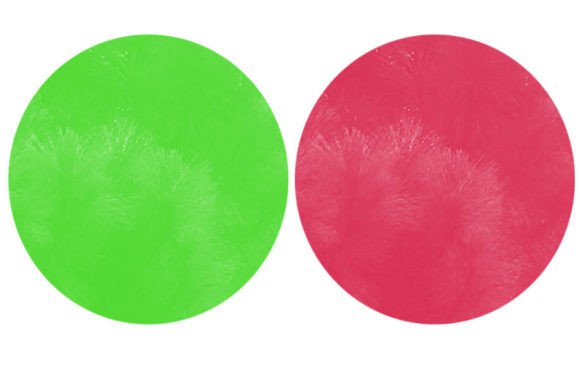
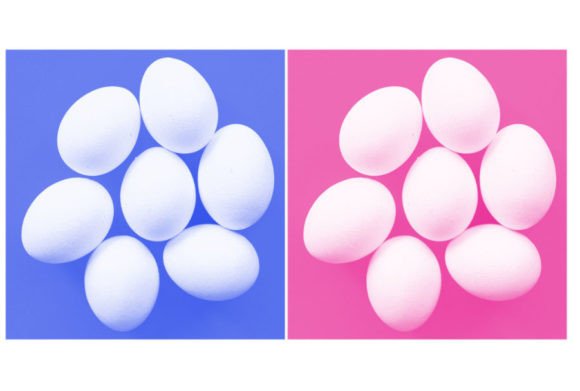
At its core, the Egg Brush is designed to replicate the subtle, irregular surface of an eggshell. This might sound niche, but the utility extends far beyond drawing poultry. The brush captures the essence of calcified surfaces, porous stone, aged paper, and even certain types of skin textures. When you download a set containing the .brushes or .swatches file, you are not just getting a single stamp; you are acquiring a workflow shortcut that saves hours of manual texturing.
Real-World Applications Across Industries
The versatility of the Egg Brush becomes apparent when you step away from literal interpretations and look at texture as a design element. Different industries benefit from this tool in unique ways, solving specific visual problems that standard brushes often struggle with.
Concept Art and Environment Design
For environment artists, the challenge is often creating believability in fantastical settings. A smooth, digitally painted rock looks plastic and unconvincing. By using the Egg Brush, artists can quickly lay down a base layer of porosity on cliff faces, cave walls, or ancient ruins. The irregular spacing of the bristles mimics the natural erosion and mineral deposits found in limestone or sandstone. This is particularly useful in the early blocking stages of a painting, where establishing material readability is crucial. Instead of manually painting thousands of tiny dots to suggest roughness, the Egg Brush allows for broad, confident strokes that instantly communicate "rough stone" to the viewer.
Product Packaging and Branding
In the world of graphic design, especially for organic food brands, skincare lines, or artisanal products, the aesthetic often leans toward the natural and the handmade. The Egg Brush is an excellent resource for creating background textures that feel earthy and grounded. Designers can use it to add subtle noise to label backgrounds, giving them a recycled paper feel without the heavy contrast of traditional grunge brushes. It adds depth without overpowering the typography or logo. For instance, a honey brand might use the brush to create a textured backdrop that subtly hints at the organic origins of the product, enhancing the perceived value through tactile visual cues.
Character Illustration and Creature Design
While primarily associated with hard surfaces, the Egg Brush has surprising utility in character work. Creature designers often need to render scales, bumpy skin, or exoskeletons. The random distribution of the brush tip can serve as a foundational layer for reptilian skin or the porous hide of a fantasy beast. By adjusting the opacity and flow, illustrators can build up layers of texture that suggest biological complexity. It is also effective for adding age spots, freckles, or weathering effects on human characters, providing a more realistic and less airbrushed appearance.
Technical Considerations and Best Practices
To get the most out of the Egg Brush, it is essential to understand how it interacts with your software’s engine. Most modern digital art programs like Photoshop, Procreate, or Clip Studio Paint handle these custom brushes similarly, but there are nuances to consider.
Opacity and Flow Control: The magic of this brush lies in its buildup. Using it at 100% opacity often results in a flat, stamped look that lacks depth. Experienced users typically lower the opacity to between 10% and 30%, allowing them to layer the texture gradually. This technique creates a sense of volume and variation, making the texture appear integrated into the form rather than pasted on top. Similarly, adjusting the flow can help control the density of the speckles, allowing for smoother transitions between textured and smooth areas.
Scale and Resolution: One common mistake is using the brush at an inappropriate scale. If the brush tip is too small relative to the canvas size, the texture may become lost or appear as mere noise. Conversely, if it is too large, the individual elements of the texture may look blocky and unnatural. It is advisable to test the brush on a separate layer at various sizes to find the sweet spot for your specific resolution. For high-resolution print work, you may need a higher DPI setting to ensure the edges of the texture remain crisp.
Layer Modes: The Egg Brush shines when combined with different blending modes. Using it on a layer set to Multiply can darken crevices and add shadow depth, while using it on Overlay or Soft Light can enhance mid-tone contrast without altering the underlying color too drastically. Experimenting with these modes can yield dramatically different results, from subtle weathering to aggressive corrosion effects.
Strengths and Limitations
Like any tool, the Egg Brush has its strengths and limitations. Its primary strength is efficiency. It automates the creation of complex, random patterns that would otherwise require tedious manual effort. It also offers a consistent aesthetic, ensuring that textures across a project remain cohesive. However, its limitation lies in its specificity. It is not a universal solution for all textures. For example, it is not suitable for creating wood grain, metal scratches, or fabric weaves. Relying on it for those purposes will result in unrealistic visuals. Additionally, because the texture is pre-defined, overuse can lead to repetitive patterns if not varied with rotation, scaling, or manual masking.
Another consideration is the file format. The inclusion of .brushes or .swatches files in the ZIP archive means you need compatible software. While most major applications support these formats, older versions or niche programs might require conversion. Always check your software’s import capabilities before purchasing or downloading.
Integrating the Brush into Your Workflow
Successfully integrating the Egg Brush into your daily workflow requires a shift in mindset. Instead of viewing it as a final detailing tool, consider it a foundational element. Start your textures early in the process. Use the brush to establish the material language of your piece before moving on to lighting and color grading. This approach ensures that the texture feels intrinsic to the object, rather than an afterthought.
Furthermore, combine the Egg Brush with other tools. Use a smudge tool or a blender brush to soften harsh edges created by the texture. Mask out areas where the texture should not appear, such as highlights or wet surfaces. This combination of additive and subtractive techniques creates a more dynamic and realistic final image.
Ultimately, the Egg Brush is a testament to the power of specialized tools in digital art. It solves a specific problem with elegance and efficiency, allowing artists to focus more on composition and storytelling rather than getting bogged down in repetitive texturing tasks. By understanding its nuances and applying it thoughtfully, you can add a layer of sophistication and realism to your digital creations that resonates with viewers on a subconscious, tactile level.